How to Integrate AI Into Existing Business Systems (Without Wasting Your Budget)
Most companies aren't struggling with AI because the technology is weak. They're struggling because nobody figured out how to connect it to the systems the business already depends on — the CRM, the support desk, the finance stack, the tools your team opens every morning.
That gap has a name: AI integration for business software. And it's a bigger problem than most leadership teams realize. According to McKinsey's 2025–2026 State of AI research, 88% of organizations now report using AI in at least one business function — yet only a small fraction have gotten it to actually move the needle financially. Separate McKinsey data puts the number of companies able to attribute a real earnings impact to their AI use at under 40%.
In other words: adoption is nearly universal. Integration — the part that turns a tool into a working system — is where most companies stall.
This is a practical breakdown of what that actually looks like: what AI integration means, what to check before you start, the steps that make it stick, and the mistakes that quietly sink most projects.
What Does "AI Integration" Actually Mean?
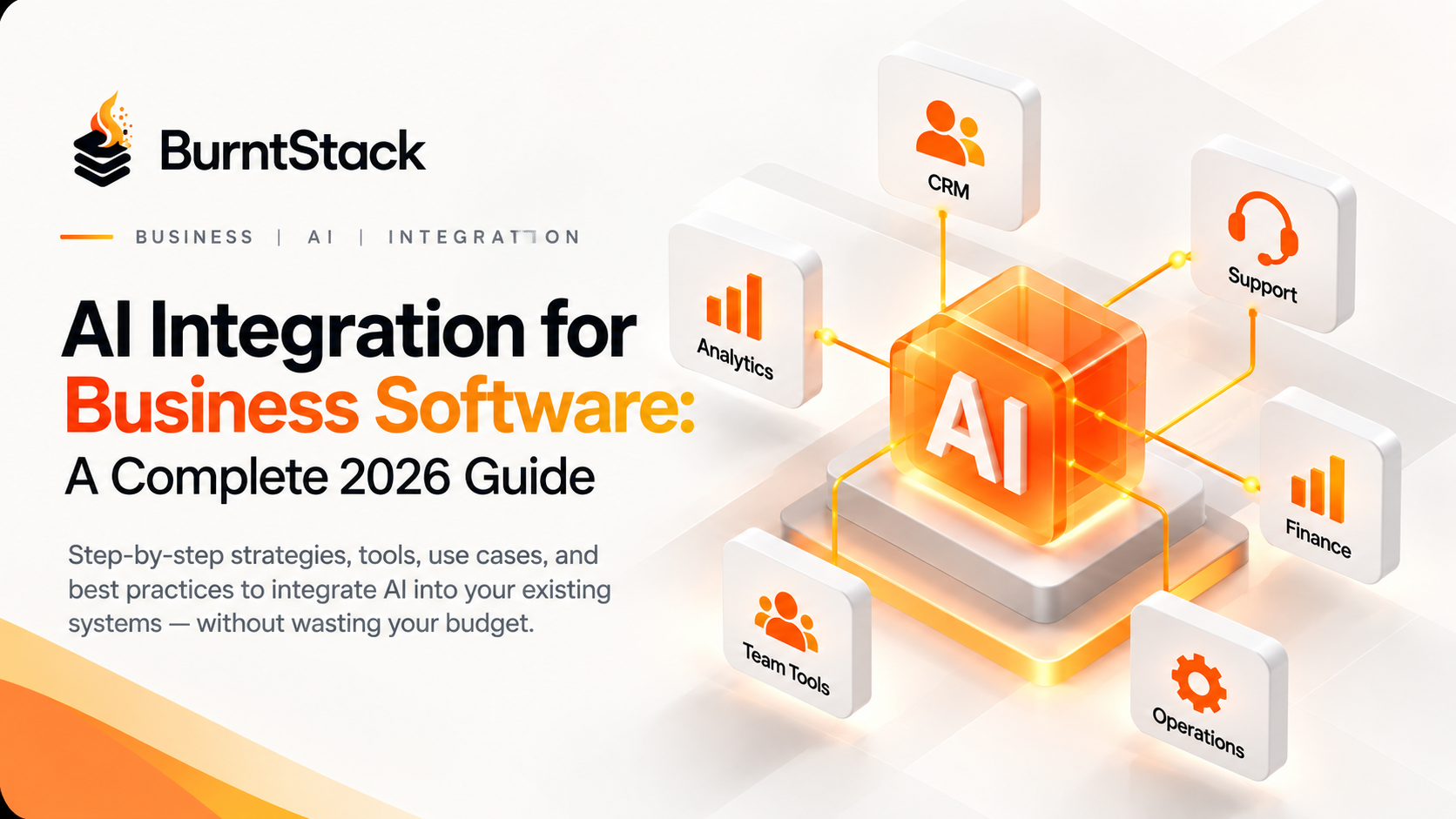
AI integration is the process of wiring AI models and tools directly into the software your business already runs on — your CRM, your internal dashboards, your support tickets, your order system — so AI becomes part of how the work gets done, not an extra tab someone forgets to open.
Having ChatGPT open on the side isn't integration. Real integration means the AI reads your live data, acts inside your existing tools, and shows up inside the workflow itself — not somewhere your team has to remember to go looking for it.
Think of it less as bolting on new software and more as making the tools you already trust noticeably sharper at the jobs they were built to do.
The Four Paths Into Existing Systems
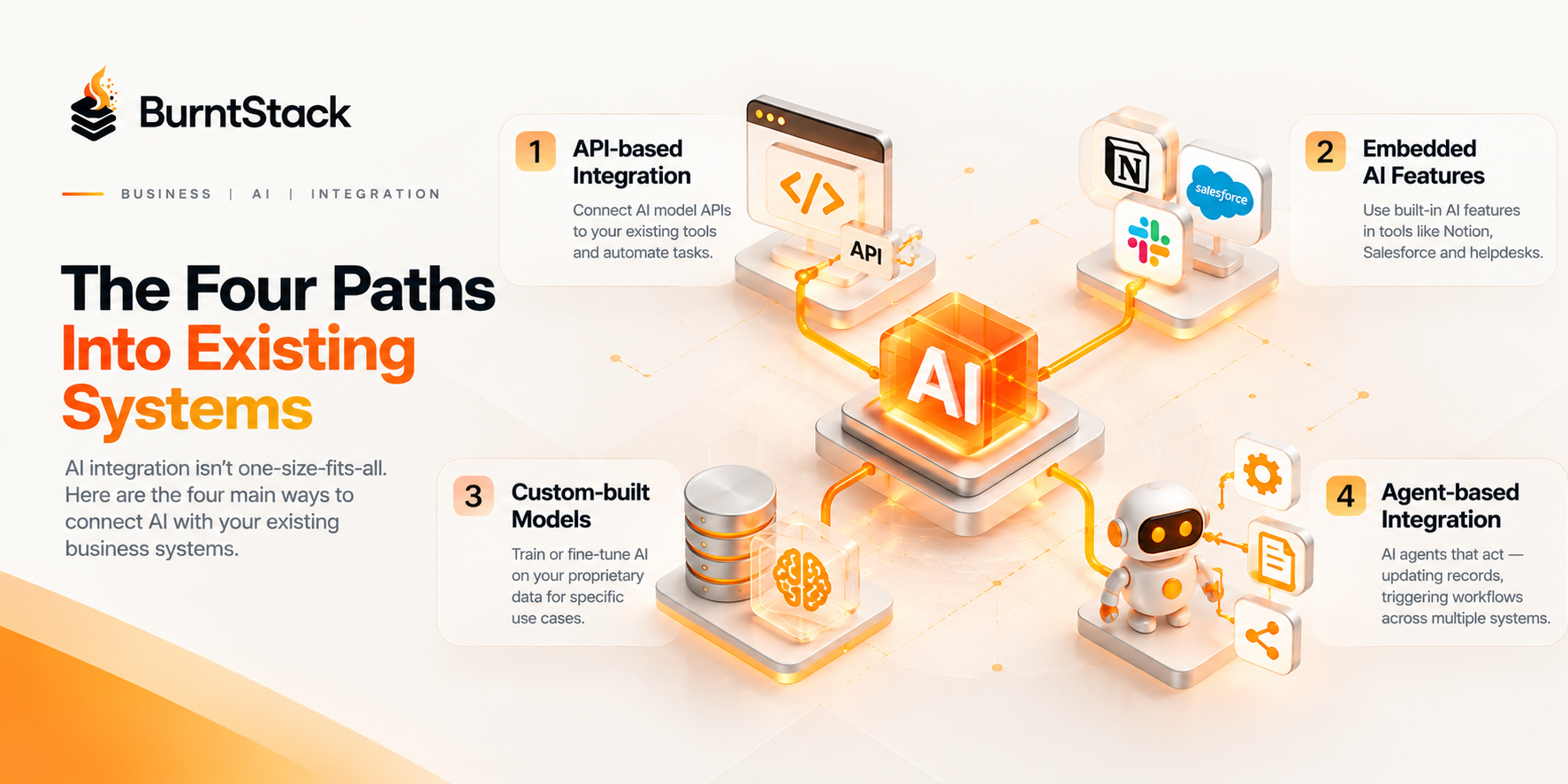
Before you touch a roadmap, it helps to know that "integrating AI" isn't one move — it's a choice between four fundamentally different approaches, and picking the wrong one is where most budgets quietly disappear.
1. API-based integration
You connect to an existing AI model's API and plug its output into a tool you already use — AI-written call summaries inside your CRM, for example. This is usually the fastest and cheapest route in, and it's what most AI integration servicesactually build for small and mid-sized companies first.
2. Embedded AI features
Platforms like Notion, Salesforce, and most modern helpdesk tools already ship AI features baked in. Here, "integration" is closer to flipping a switch than writing code.
3. Custom-built models
Models trained or fine-tuned on your own proprietary data. This is genuine custom AI solutions development, and it only earns its cost when your use case is specific enough that an off-the-shelf model can't handle it well.
4. Agent-based integration
The AI doesn't just answer — it acts: pulling records, updating fields, triggering downstream workflows across multiple systems on its own. This is the most powerful path and also the most complex, which is exactly why it's rarely where a business should start.
Before You Start: 5 Questions to Answer Honestly
Skipping this step is the single most common reason integration projects run over budget and under-deliver. None of these take long to check — but ignoring them is expensive.
Is your data actually usable? AI is only as good as what it's fed. Scattered records across five tools, half of them outdated, is the real first problem — not the model you're about to buy.
Can your current systems even connect? Older or heavily customized software often lacks the APIs an AI tool needs to plug in. Find this out before you commit to a timeline.
Does anyone own this once it's live? You don't need an in-house AI team on day one, but someone needs to monitor and adjust the system after launch — integration isn't a "set and forget" project.
Do you have one clear use case, or just a vibe? "We want AI" isn't a target. "Cut support ticket response time by 30%" is. The sharper the goal, the easier every following step becomes.
Have you budgeted past launch day? The build cost is only part of it. Most teams underestimate the ongoing cost of monitoring, retraining, and adjusting the system in the months after go-live.
The 7-Step Integration Process
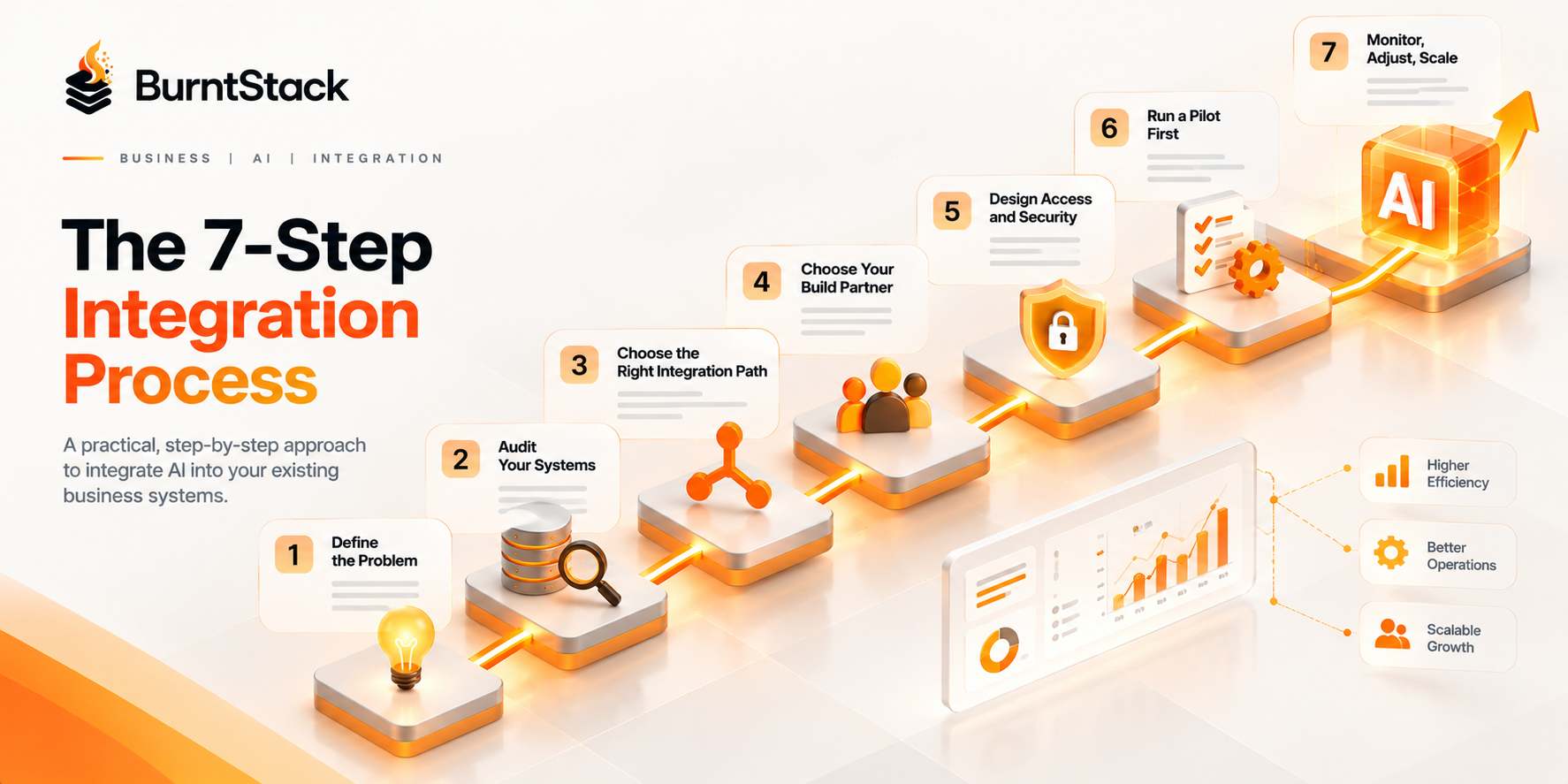
Step 1 — Define the problem, not the technology.
Start with the actual bottleneck your business has, not the tool you're excited about. A number-based target beats a vague ambition every time.
Step 2 — Audit every system you'd be connecting to.
Map what data lives where, which tools expose an API, and which ones don't. This is also where you discover if something needs upgrading before AI can even reach it.
Step 3 — Pick the integration path that fits the problem — not the one that sounds impressive.
Most businesses get more real value from a modest API-based setup than from a custom model they didn't actually need yet.
Step 4 — Choose your build partner on fit, not the pitch.
Whether you go in-house or hire out, ask for examples of similar systems they've connected — not a features list.
Step 5 — Design access and security before launch, not after.
Decide who and what can touch which data before go-live. Retrofitting permissions later almost always means redoing finished work.
Step 6 — Pilot on one team or one workflow first.
A small, contained pilot is where you catch the expensive gaps — before a full rollout makes them costly.
Step 7 — Monitor, adjust, then scale.
AI systems drift as your data and business change. Launch is the start of the work, not the finish line.
Five Mistakes That Quietly Kill Integration Projects
Most failed integrations don't fail loudly — they just never deliver the value they were supposed to, until someone finally asks where the ROI went.
Treating AI as a bolt-on. If it's not built into where the work already happens, people simply stop using it.
Discovering legacy limitations too late. Finding out mid-build that your core system can't support the integration should happen in the audit — not the build.
Skipping change management. A perfectly working system still fails if the team never understood it or got a say in adopting it.
No defined success metric. Without a number to check against, there's no way to tell if the integration is working or just running.
Jumping straight to full rollout. Skipping the pilot means every mistake shows up at full scale instead of in a safe, small test.
Can AI Work With Legacy Systems?
Generally, yes — but it usually needs a middle layer to make the connection work. Most legacy systems weren't designed with AI in mind, so integration typically happens through APIs, middleware, or a data layer sitting between the old system and the new AI tool, rather than a clean, direct plug-in.
The real question isn't whether it's possible — it's how much custom engineering the connection requires. A system with an outdated API needs far less work than one with none at all. That's exactly why the systems audit in Step 2 matters so much: it tells you which kind of legacy problem you're actually facing before you commit to a budget.
What Determines Cost, Timeline, and ROI
There's no single number that fits every business, and anyone quoting one before auditing your systems is guessing.
Cost is driven mainly by the integration path. A simple API connection to one tool can be done in a matter of weeks; a custom-trained model or a multi-system agent setup takes considerably longer — mostly because of data preparation and testing, not the AI itself.
Timeline: a focused, single-use-case integration typically runs four to twelve weeks, from audit through a working pilot. Anything promising a full transformation in days is either oversimplifying scope or skipping the testing that makes it reliable.
ROI almost always tracks back to how tightly the use case was defined in Step 1. A narrow integration solving one real bottleneck consistently shows measurable value faster than a sprawling rollout trying to fix everything at once.
FAQs
Do small businesses need a dedicated AI team to integrate AI?
Rarely. Most small and mid-sized businesses get there with an experienced partner or a small internal owner — not a department. A dedicated team only starts making sense once you're running several integrations simultaneously.
Does AI integration mean replacing our current software?
No — and it usually shouldn't. The goal is connecting to what you already have, not tearing it out.
How long does a typical integration take?
For one clearly scoped problem, four to twelve weeks from audit to working pilot is realistic. Faster usually means something got skipped.
Who owns the data once AI is integrated?
You should — full stop. Any partner who can't give you a straight answer on data ownership before the project starts is a red flag.
Can integration fail even when the technology works perfectly?
Yes, and it happens often. It's rarely the AI itself — it's usually a use case that was never clearly defined, or a team that never got brought along.
The Bottom Line
AI integration for business software isn't about stacking on another tool. Done right, it quietly becomes part of how the business already runs — making the systems you depend on sharper at the jobs they were already doing.
The companies that get real value aren't the fastest movers. They're the ones who audited their systems honestly, picked one clear use case, and built it properly before expanding.