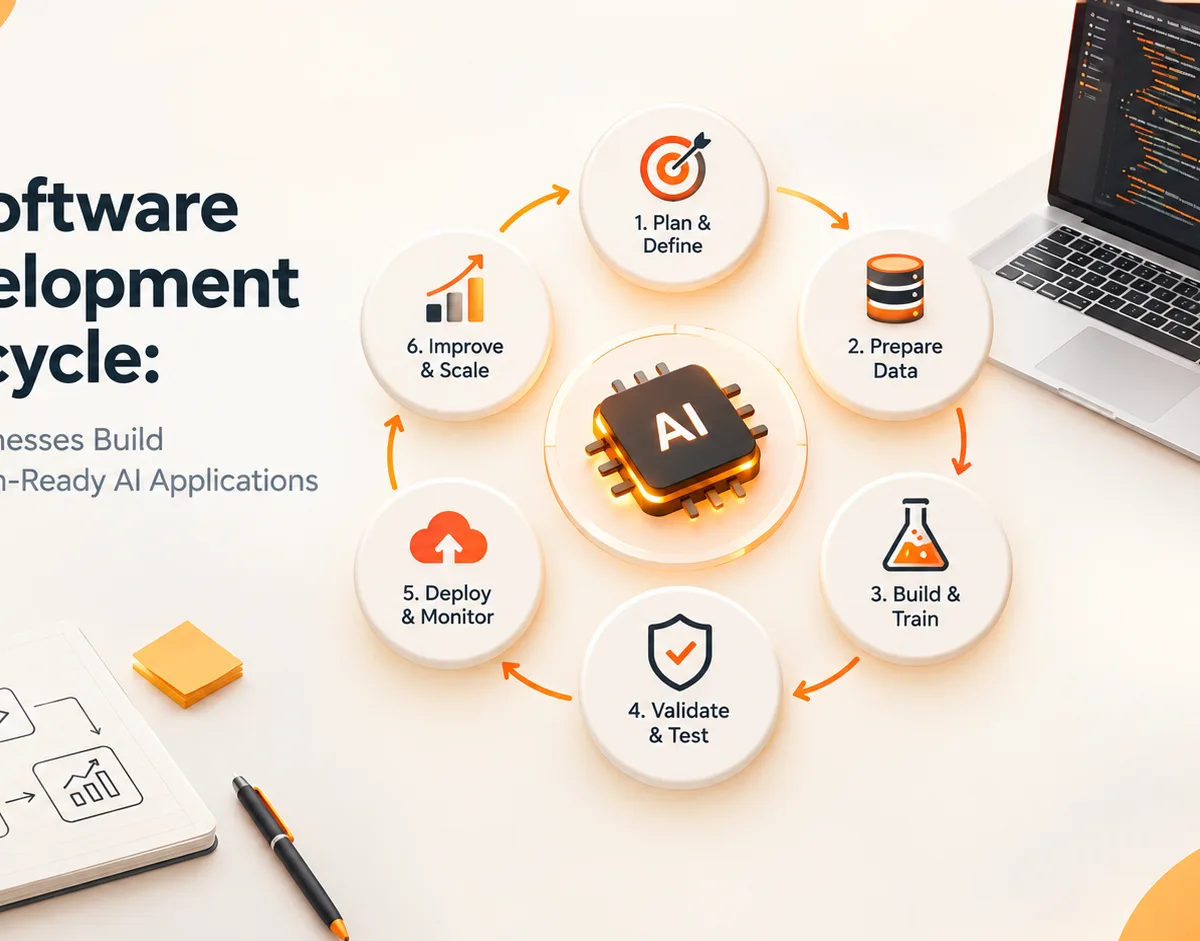
Gartner predicted that through 2026, organisations would abandon 60% of AI projects that aren't supported by AI-ready data. We're now living in that window, and the lesson behind it is simple. A dazzling AI demo is easy to build. An AI application your team trusts every day is not.
The gap between the two is rarely the model. It's the process used to build it.
This guide walks you through the AI software development lifecycle: the six stages that turn an AI idea into a production-ready AI application. A quick note before we start: this isn't about using AI to write code faster. It's about how businesses build AI products such as support assistants, document workflows and voice agents that hold up in the real world.
In short: A production-ready AI application moves through six stages: frame the problem, prepare the data, prototype and pick the model, evaluate and add guardrails, integrate and deploy, then monitor and improve. Each stage ends with a go/no-go question, and Stage 6 loops back into Stage 2.
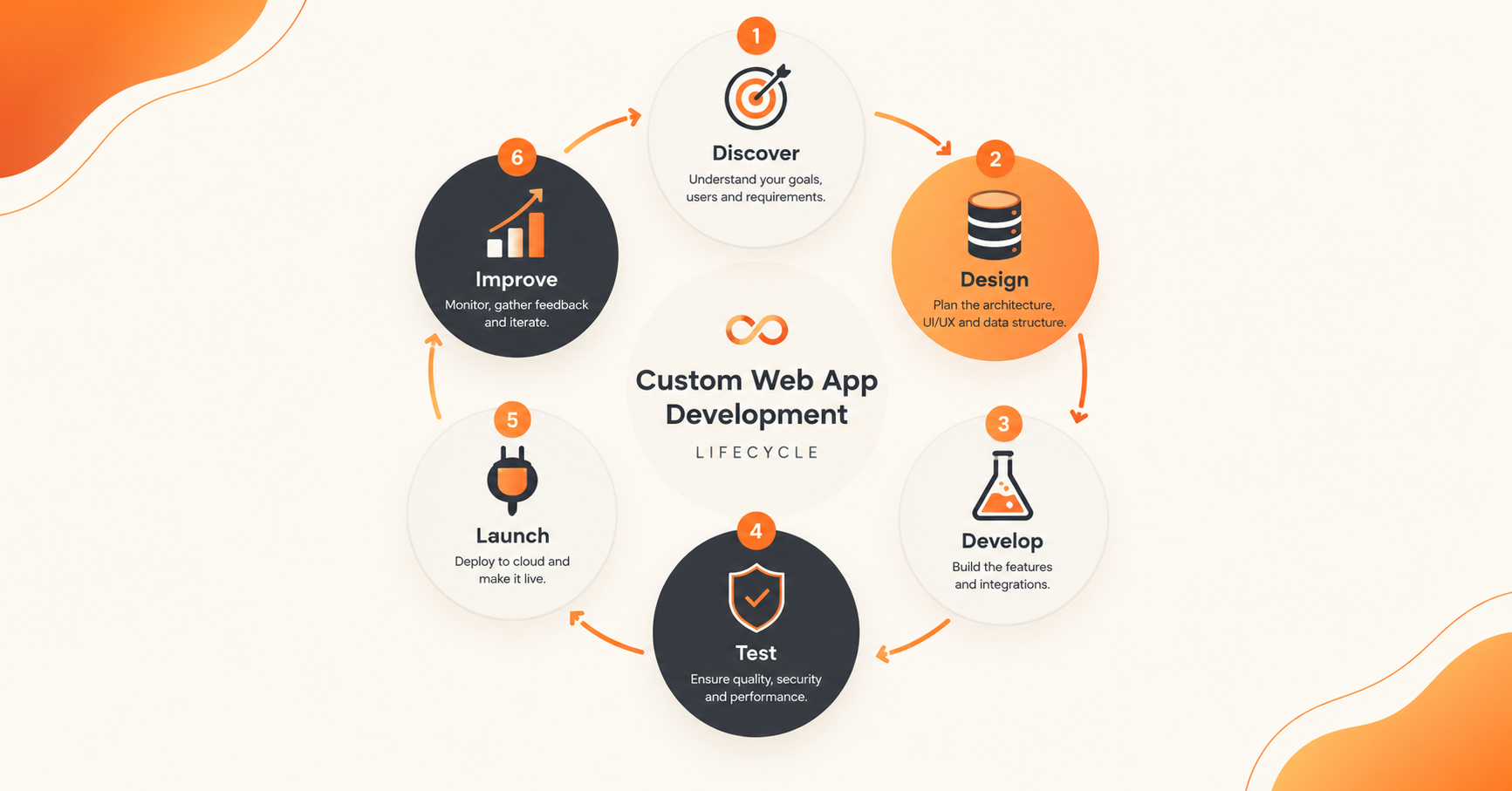
Why AI Applications Need Their Own Development Lifecycle
Traditional software does exactly what it's coded to do. AI applications make judgement calls, and judgement calls behave very differently.
Traditional software
AI application
Behaviour
Same input, same output, every time
Same input can produce different outputs
Testing
Pass or fail
Scored against real examples
Biggest risk
Bugs that crash
Wrong answers that sound right
After launch
Occasional updates
Ongoing monitoring as data and models change
Running cost
Mostly fixed hosting
Rises with every request the AI handles
Ignore these differences and you get the classic story: a great pilot, a messy launch, and a project quietly shelved six months later.
The 6 Stages of the AI Software Development Lifecycle
Stage
What happens
Gate question before moving on
1. Frame the problem
Pick one task, its users and a success metric, such as "halve invoice entry time"
Can we measure whether AI beats today's process?
2. Prepare the data
Collect, clean and secure documents, records and real examples
Is the data accurate, current and cleared for use?
3. Prototype and pick the model
Build a thin working version and compare models on quality, speed and cost
Does it beat the current process on real test cases?
4. Evaluate and add guardrails
Score outputs, block unsafe answers, design a human handoff
Are errors rare, and caught when they happen?
5. Integrate and deploy
Connect to your CRM, ERP, website or phone line; roll out to a pilot group
Did the pilot group hit the success metric?
6. Monitor and improve
Track accuracy, cost and feedback; refresh data and prompts
Is it still worth its monthly running cost?
The gate questions are your secret weapon. If the answer is "no", fix that stage before spending another rupee on the next one.
How BurntStack helps: BurntStack's process starts exactly where Stage 1 does. Before anything is built, we review your business context, users, current systems and constraints, then document the features, integrations and delivery stages in a written scope for your approval.
Where Production-Ready AI Is Won or Lost
Most stages are straightforward. Three decide whether your AI application survives contact with real users.
Stage 2: Your Data Is the Product
Gartner's survey found that 63% of organisations either lack, or aren't sure they have, the right data management practices for AI. The fix is unglamorous: remove outdated documents, resolve contradictions, decide who can see what, and build a test set of real questions with correct answers. That test set becomes your yardstick for every stage that follows.
Stage 4: Plan for the AI Being Wrong
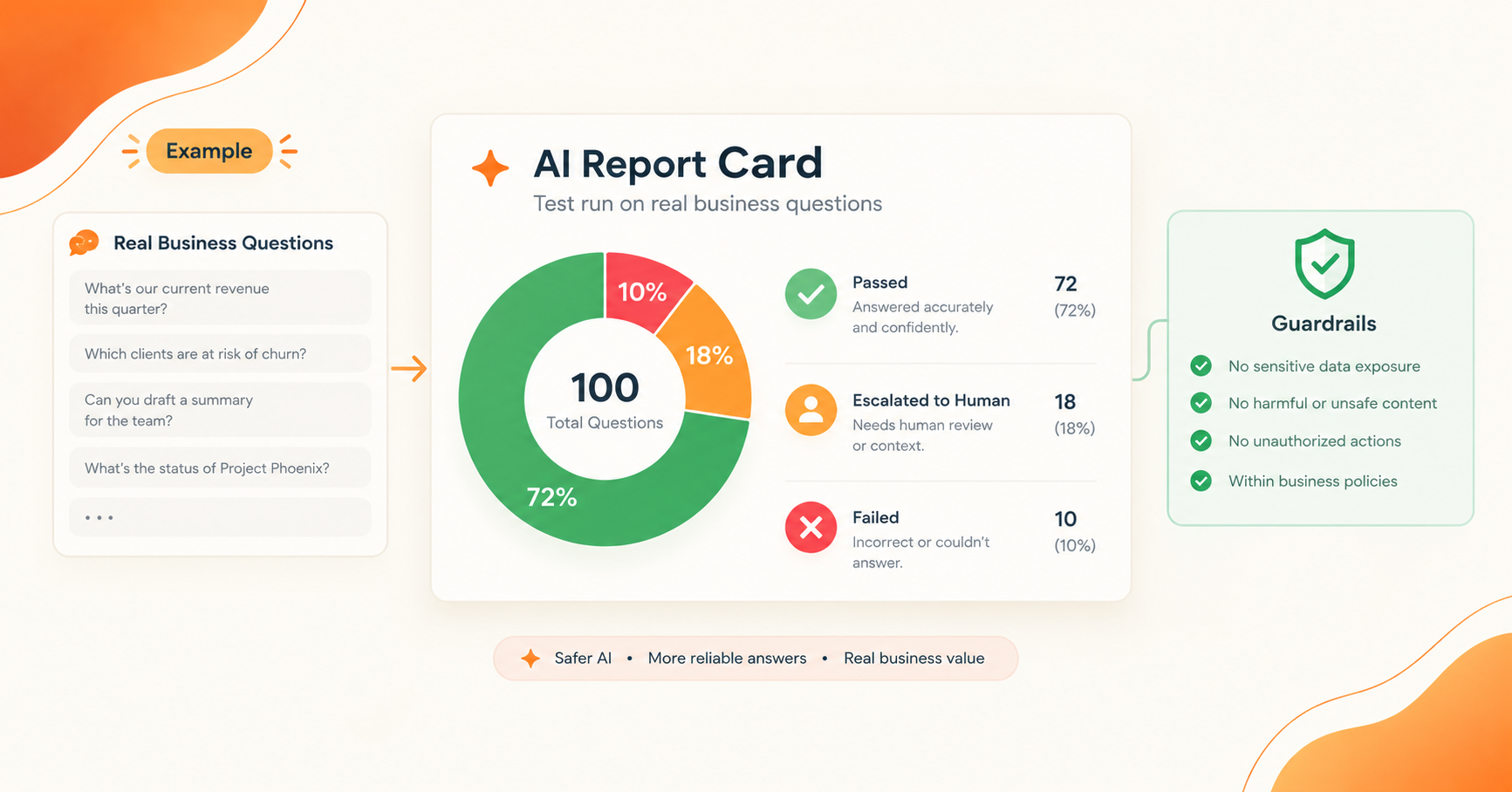
Every AI model makes mistakes. Production-ready AI applications are designed around that fact with three layers of protection:
Evaluation: every change is re-scored against your test set before it goes live
Guardrails: rules that stop off-topic, unsafe or confidential answers
Human handoff: low-confidence cases go to a person instead of the AI guessing
How BurntStack helps: This is how BurntStack approaches its AI automations and voice agents. A voice agent answers common questions and qualifies callers, then hands the call to a human when needed rather than improvising.
Stages 5 and 6: Launch Is the Halfway Point
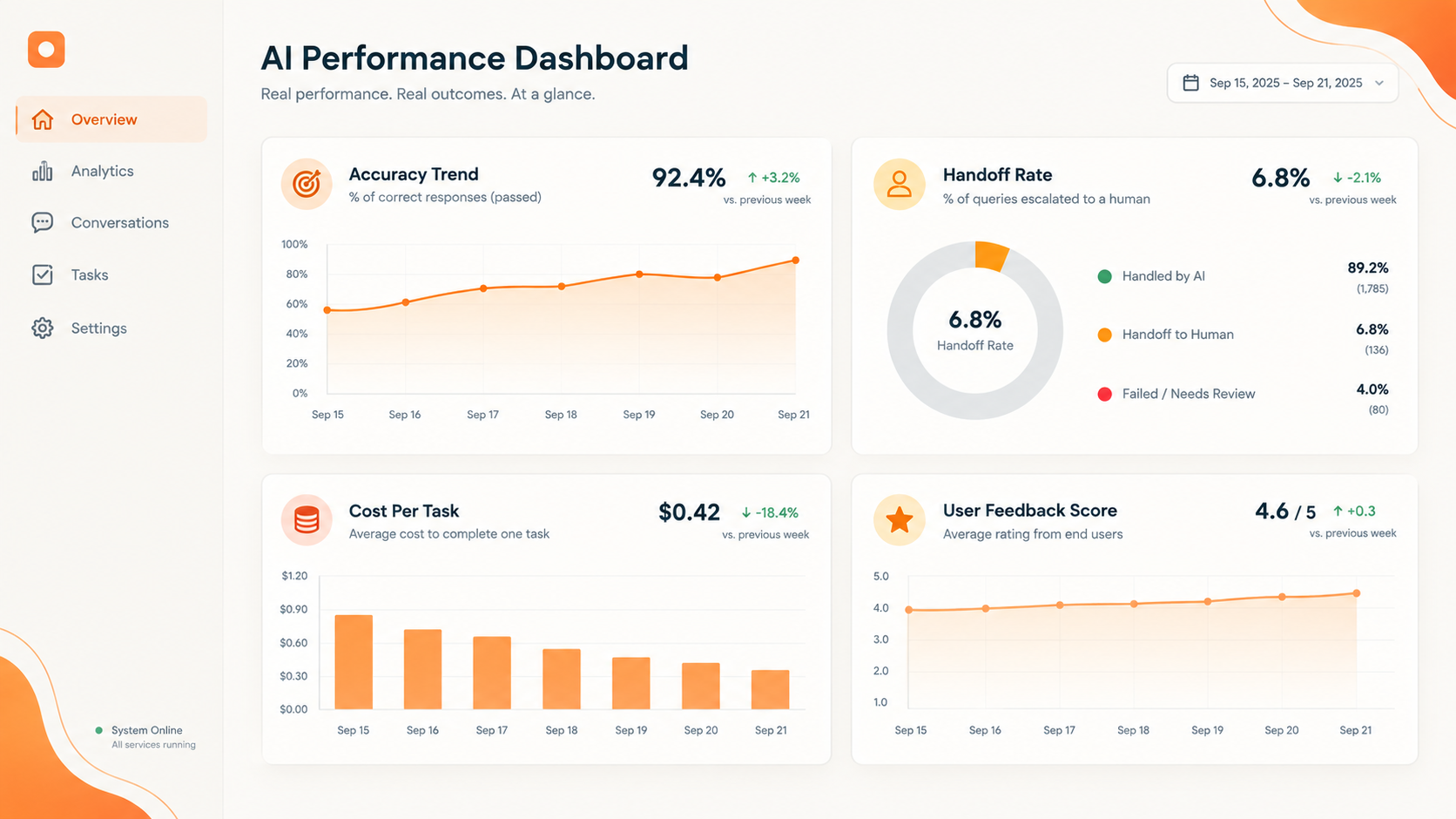
A model sitting on a developer's laptop helps no one. Real value appears when AI is wired into the tools your team already uses and rolled out to a small pilot group first. After launch, review four numbers every month:
Metric
Why it matters
Accuracy on real tasks
Catches quality drift early
Human handoff rate
Shows where the AI still needs help
Cost per task
Stops model usage from eating your ROI
User feedback
Reveals problems the numbers miss
The Production-Ready AI Checklist
Before you call an AI application "done", confirm it has:
A measurable success metric agreed before development
A test set built from real business data
Guardrails and a human handoff path
Integration with the systems your team already uses
A monitoring dashboard with a named owner
A monthly running-cost estimate
Documentation and access handed over to your team
Missing even one of these? Your AI is still a pilot, not a product.
FAQs: AI Software Development Lifecycle
How is the AI development lifecycle different from a normal SDLC? A normal SDLC largely ends at launch. The AI lifecycle adds data preparation, output evaluation, guardrails and continuous monitoring, because AI behaviour can shift as your data, users and models change.
Do we need to train our own AI model? Usually not. Most business AI applications are built on existing foundation models connected to your own data. Custom training makes sense only when no existing model can do the job well enough.
How long does it take to build a production-ready AI application? It depends on scope and data readiness. A focused AI automation can reach a pilot in weeks, while complex systems take months. Clean, accessible data is the biggest single factor in the timeline.
Build AI That Works on Monday Morning, Not Just in the Demo
The AI software development lifecycle isn't bureaucracy. It's what separates an AI experiment from an AI application your customers and staff rely on every day. Frame the problem, respect the data, plan for mistakes, and never stop measuring.
How BurntStack helps: BurntStack designs and builds AI automations and voice agents, along with the websites, ERP systems and mobile apps they plug into. Every project begins with an initial consultation at no charge and a written scope before development. Book your free AI consultation with BurntStack and leave with a practical next step for your AI application.