
Running a business involves many repetitive tasks. Teams spend hours responding to customer enquiries, updating records, following up with leads, managing documents, and preparing reports. Although these tasks are important, they often take time away from work that needs human attention.
Traditional automation can handle some of these activities, but it usually follows fixed instructions. When something unexpected happens, a person often needs to step in.
This is where AI agents can help.
AI agents can understand requests, gather information, make decisions within defined rules, and perform tasks across connected business applications. Instead of simply responding to instructions, they can help move an entire process forward.
But how does this work in practice? Let's look at how AI agents automate business workflows and where businesses can use them.
What Are AI Agents in Business Automation?
AI agents are software systems that use artificial intelligence to understand goals, decide what steps are needed, and take actions to complete tasks.
For example, imagine a customer submits an enquiry through your website.
A traditional system might send an automatic confirmation email. An AI agent can do more:
Understand what the customer is asking.
Identify the service they are interested in.
Collect and organize their contact information.
Check relevant details in your CRM.
Prepare a suitable response.
Assign the enquiry to the right team member.
The important difference is that an AI agent can handle multiple connected steps instead of performing just one predefined action.
However, AI agents are not completely independent or always accurate. Their actions should be limited by business rules, permissions, and human approval where necessary.
What Are AI Agents?
How Do AI Agents Automate Business Workflows?
An AI agent generally follows a sequence of steps to complete a task.
1. Understand the request: The agent receives information from an email, website form, customer conversation, or another connected system.
2. Gather relevant information: It checks the available data, such as customer records, documents, previous interactions, or company policies.
3. Decide what to do next: Based on the request and predefined instructions, it identifies the next appropriate action.
4. Perform the task: It interacts with connected applications through approved integrations or APIs. This might involve updating a CRM, creating a support ticket, or preparing a document.
5. Check the result: It verifies whether the action was completed successfully. If something is unclear or outside its permissions, it can ask a person to review it.
This process allows AI agents to support workflows that involve several applications and multiple steps.
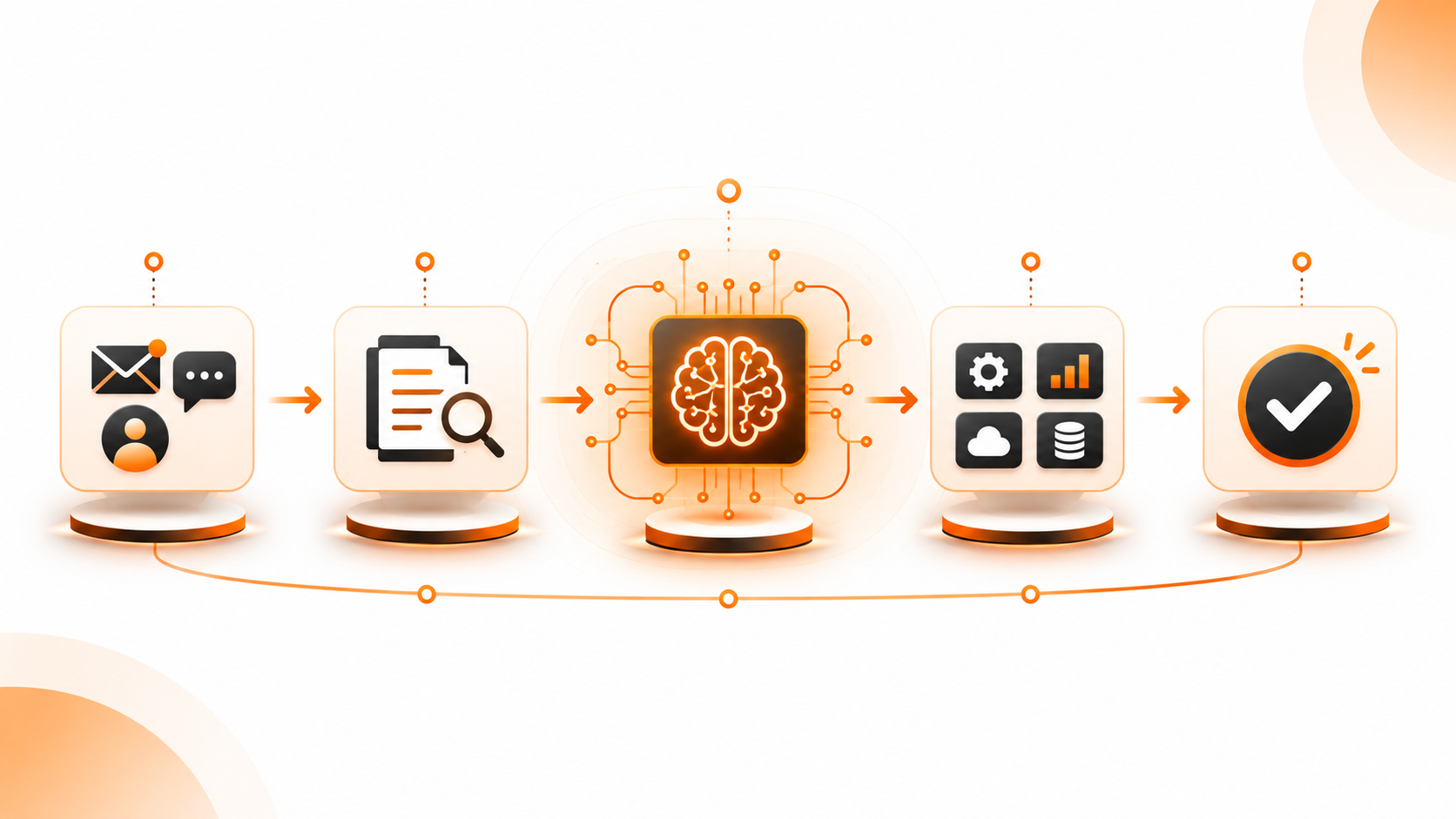
Five stages of AI agent business workflow automation.
6 Practical Ways AI Agents Can Automate Business Workflows
The real value of AI agents becomes easier to understand when we look at everyday business activities.
1. Customer Support and Enquiry Management
Customer support teams receive similar questions every day. Responding to questions about services, orders, appointments, and account details can consume a considerable amount of time.
AI agents can:
Understand incoming customer questions.
Retrieve answers from approved company information.
Check relevant customer or order records.
Categorize and route support requests.
Prepare responses to common enquiries.
For example, if a customer asks about an order, an AI agent can retrieve the order status from the connected system and provide an appropriate update.
More complicated complaints or refund requests can be transferred to a human support representative.
2. Lead Management and Sales Follow-Ups
Sales teams often lose opportunities because leads are not followed up at the right time.
AI agents can help organize this process by collecting enquiries, identifying customer requirements, and preparing follow-up messages.
For example, when someone submits a website enquiry, an agent can:
Capture the lead's contact information.
Understand the service they are interested in.
Add the details to the CRM.
Assign the lead to the relevant salesperson.
Prepare a personalized follow-up email.
Create a reminder for the next interaction.
This helps sales teams spend less time organizing information and more time speaking with potential customers.
3. Data Entry and Document Processing
Manually entering information from invoices, forms, applications, and other documents can be repetitive and time-consuming.
AI agents can extract relevant details, organize the information, and transfer it into connected business systems.
For example, when a company receives an invoice, an agent can identify the invoice number, supplier name, date, and amount. It can then compare the information against existing records and prepare the entry for approval.
This reduces repetitive data entry while helping employees identify missing or inconsistent information.
For financial transactions, validation and human approval should remain part of the process.
4. Appointment Scheduling and Calendar Management
Managing appointments often involves several messages between customers and employees.
AI agents can simplify this process by:
Understanding appointment requests.
Checking available time slots.
Suggesting suitable options.
Sending booking confirmations.
Updating connected calendars.
Sending reminders before appointments.
For example, a customer contacting a service business can request an appointment without waiting for an employee to manually coordinate every step.
The agent can handle routine scheduling while transferring unusual requests or scheduling conflicts to the appropriate person.
5. Internal Business Operations
Employees regularly need information from different departments, documents, and applications.
AI agents can help teams retrieve internal information and complete routine administrative work.
For example, an employee might ask for the latest project status. An agent can collect relevant updates from approved project management tools, summarize progress, and highlight pending tasks.
Other possible applications include preparing meeting summaries, organizing internal requests, updating task records, and retrieving company policies.
This makes everyday information easier to access without repeatedly asking different team members.
6. Reporting and Business Insights
Preparing reports often requires collecting information from multiple sources, organizing spreadsheets, and identifying important changes.
AI agents can help automate parts of this process.
They can collect approved data, summarize performance, identify unusual changes, and prepare reports for review.
For example, a sales reporting agent can collect weekly sales figures, compare them with previous results, and highlight which areas need attention.
Managers still need to review the findings before making important business decisions.
AI Agents vs Traditional Automation: What's the Difference?
Both technologies help businesses reduce manual work, but they approach tasks differently.
Traditional automationAI agentsFollows predefined rulesInterprets information and goalsWorks best with predictable tasksCan handle some changing situationsUsually follows fixed stepsCan select between approved next stepsNeeds rule changes when processes changeCan adapt within defined boundariesBest for repetitive, structured tasksUseful for multi-step tasks involving context
For example, traditional automation can send an email whenever someone fills out a form. An AI agent can understand the enquiry, identify its purpose, retrieve relevant information, and prepare a suitable response.
Neither approach is automatically better. Many businesses benefit from combining both: traditional automation handles predictable actions, while AI agents manage tasks that require interpretation.
AI coding agents and software development
How Can a Business Start Using AI Agents?
Implementing AI agents does not mean automating every department at once. A focused approach is usually more practical.
Step 1: Identify repetitive tasks. Look for activities that consume employee time, such as lead follow-ups, document processing, customer enquiries, or reporting.
Step 2: Choose one suitable workflow. Start with a process that has clear inputs, expected outcomes, and manageable risks.
Step 3: Connect the required systems. Identify which applications, databases, and business tools the agent needs to access. Provide only the permissions necessary for its work.
Step 4: Set rules and approval points. Define what the agent can do independently and which actions require human approval.
Step 5: Test before expanding. Run the workflow with real-world examples, check its accuracy, and monitor how it handles unexpected situations.
Step 6: Measure the results. Track time saved, processing speed, error rates, customer response times, and employee workload.
Once the first workflow performs reliably, you can consider expanding automation to other business activities.
Decide When an Agent Is the Right Tool
Are AI Agents Worth It for Every Business?
Not necessarily. AI agents are most useful when a business has repetitive processes that involve information gathering, decision-making, and actions across different systems.
However, they also introduce challenges.
Incorrect information, poorly defined instructions, integration failures, and excessive permissions can create problems. Businesses should also consider data privacy, security, operating costs, and ongoing maintenance.
A simple, rule-based workflow may be better handled by traditional automation. AI agents make more sense when a process requires understanding different requests or selecting between multiple approved actions.
The goal should not be to automate everything. It should be to make specific business processes more efficient without compromising accuracy or customer experience.
Frequently Asked Questions
1. What business tasks can AI agents automate?
AI agents can support customer service, lead management, sales follow-ups, document processing, appointment scheduling, internal operations, and reporting. The best use cases depend on the business process and available integrations.
2. Are AI agents different from AI chatbots?
Yes. A chatbot primarily communicates with users and provides responses. An AI agent can also interact with connected applications, retrieve information, and perform approved actions to complete tasks.
3. Can AI agents work with existing business software?
Yes. AI agents can connect with compatible business applications through APIs and integrations. This allows them to retrieve information, update records, and coordinate tasks across different systems.
4. Do AI agents replace employees?
AI agents are better viewed as tools that support employees by handling repetitive activities. Human involvement remains important for complex decisions, sensitive information, customer relationships, and tasks that require accountability.
5. How much does it cost to implement AI agents?
The cost depends on workflow complexity, integrations, AI models, infrastructure, security requirements, and ongoing maintenance. A simple workflow generally requires less development effort than a customized system connecting several business applications.
Final Thoughts
AI agents are changing how businesses approach everyday operations. From managing customer enquiries to processing documents and preparing reports, they can help reduce repetitive work and connect activities that were previously handled separately.
The best starting point is not adopting AI for the sake of technology. It is identifying a genuine business problem, choosing a suitable workflow, and building an automation that delivers measurable results.
With the right integrations, clear rules, and human oversight, AI agents can become a useful part of a business's daily operations.